


Lexzur has recently launched a robust and comprehensive documentation center for its customers and partners. The centralized base covers everything an Lexzur user may need, as well as useful instructions about the different products, modules, and features.
The Lexzur Documentation Center includes in-app video walk-throughs, functionalities, FAQs, tools to get started, and detailed instructions for configuring settings and managing the system.
This means users may find a plethora of documentation on the Lexzur offerings, such as Practice, Lexzur Mobile App, Client Portal and Advisor Portal, as well as Lexzur Integrations with Gmail™, Microsoft Outlook, Teams, and Word, etc.
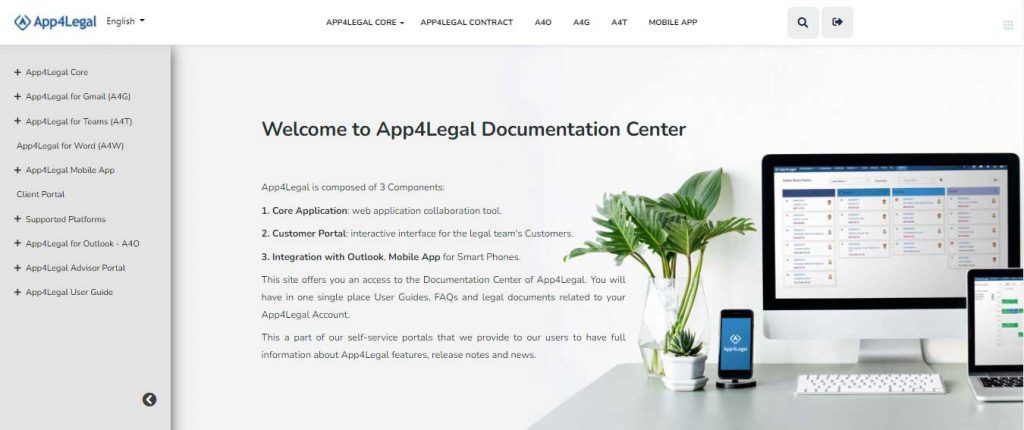
About the Intuitive Design and UX
The Lexzur documentation center is intuitive and easy to browse. Users are able to see a vertical panel view of the different pages on the left side of the screen. These headings summarize the main content available in the documentation center. Once the user clicks on these main titles, a multitude of other pages, links, videos, photos, instructions, and more open up. This allows the user to zoom in and out on topics depending on the situation and need.
In the Practice documentation link, for instance, users will find a video overview, as well as tons of useful links. These links include written instructions, screenshots, and videos for Managing Contacts and Companies, Matters, Intellectual Property, Hearings, Tasks, Reminders, etc. Additionally, users can find instructions for how to Track Time, Generate Reports, Manage Documents, Boards, Money, and much more. Users can also find content to help them configure their settings to customize the Lexzur instance to fit their exact needs.
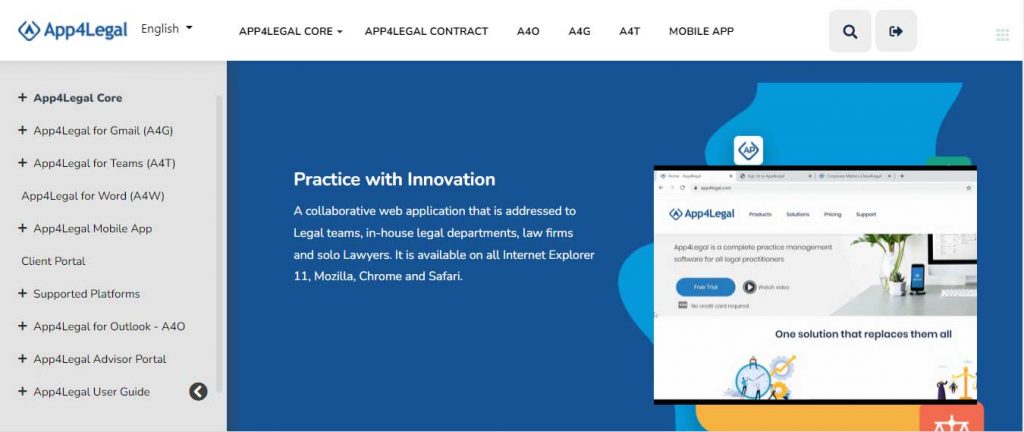
The Lexzur Documentation Center is always growing. The Lexzur team is keen on providing up-to-date, helpful, and consistent information to its users, in order to ensure mutual success moving forward. The Documentation center is currently available in English and Arabic. Additional languages will be available before the end of the year.



Leave a comment