












Today’s Legal departments work in an more complex environment. The demand for legal services is increasing, but budgets and team sizes often stay the same. According to the Corporate Legal Operations Consortium (CLOC) 2025 State of the Industry Report, 83% of legal departments expect service demand to increase, while 63% say workload and resource constraints are their biggest operational challenges.
At the same time, modern legal teams work remotely or in hybrid environments. Lawyers work together across different time zones and locations. Priorities always change, and unexpected issues can happen at any moment. Without clear processes workflows and choose the right technology, these unpredictable schedules can cause work problems.
Because of this, many organizations are starting to use legal workflow software and legal workflow automation software to increase efficiency. Legal teams can manage more work, spend less on paperwork, and stay working even when schedules change.
This guide will show the hidden problems caused by inefficient workflows and share practical ways that helps legal teams to stay organized and work efficiently using legal workflow management software.
Why Inefficient Legal Workflows Create Operational Risk?
When legal work is handled through disconnected systems or inconsistent processes, even small disruptions can create major operational problems. Recent news about case management software shows that organizations are realizing the importance of one single platform to manage legal matters.
Here are some of the most typical operational concerns that come from workflows that don’t perform well.
Missed Deadlines and Malpractice Risk
Missed deadlines are a significant risk for legal teams and can lead to serious professional consequences.
When teams rely on manual tracking systems or multiple calendars, important deadlines can be easily missed. This risk increases when schedules keep changing or team members are not fully informed.
Modern case management platforms and legal workflow management software can lower this risk by issuing reminders, keeping track of deadlines, and making sure that every case is on track.
Disorganized Documents and Lost Productivity
Legal professionals often spend significant time searching for documents, emails, or case files.
When information is stored across multiple systems, finding the right documents needed can become time consuming and inefficient.
It’s hard to work together when files are stored in different places, especially for hybrid teams. This is why a lot of legal firms now use workflow software that combines document management with matter tracking.
Centralized platforms ensure that documents, contracts, and case records remain organized and easily accessible.
Tool Sprawl and Fragmented Communication
Legal teams often rely on multiple software tools to manage cases, documents, communication, and billing. However, switching between systems can create inefficiencies and slow down workflows.
When teams depend on disconnected tools, information can become scattered and processes harder to manage.
Using legal automation software or law firm automation platforms helps teams to bring tasks into a single system, making work more efficient and reducing the need for multiple tools.
Administrative Work Reduces Strategic Legal Work
Lawyers spend large part of their day on administrative work rather than analyzing legal strategies.
Writing documents, reviewing contracts, and coordinating administrative tasks are just a few examples of things that might take a lot of time.
The increasing amount of work for administrators has sped up the use of legal automation.
What Are 5 Ways Legal Teams Can Simplify Workflows?
1. Standardize Legal Processes
Standardization is very important for handling workloads that are hard to estimate.
Writing down procedures that can be used multiple times, such reviewing contracts, getting ready for court, or reporting compliance, helps make sure that the legal department is always the same.
Many legal teams use legal workflow management software to set up regular procedures. This software directs cases through set workflows.
Standardization typically includes:
- Legal playbooks
- Task checklists
- Document templates
- Approval procedures
Legal teams may get more done and handle more work without hiring more people by standardizing their processes.
2. Automate Repetitive Legal Tasks
Repetitive tasks consume valuable time that legal professionals could spend on strategic work.
These tasks often include:
- Intake request processing
- Contract drafting
- Document generation
- Status updates
- Reporting
When teams use automation, they can use templates, rule-based approvals, and automatic reminders to make these tasks easier.
Automation makes things run more smoothly, speeds up turnaround times, and cuts down on mistakes made by people.
3. Centralize Documents and Legal Knowledge
For legal operations to run smoothly, centralized knowledge management is a must.
Modern legal workflow software has built-in document management systems that keep all files connected to a case in a safe, searchable place.
These systems allow legal teams to store:
Contracts
Correspondence
Case documents
Templates
Clause libraries
Centralized systems reduce time spent searching for documents and improve collaboration across distributed teams.
4. Improve Collaboration Across Legal Teams
Hybrid work settings need technologies that make it easy to work together.
Legal teams benefit from platforms that combine:
Messaging
File sharing
Task tracking
Meeting integrations
Many workflow software solutions for law firms now include built-in collaboration features to streamline communication between legal teams and business units.
Self-service softwares also enable internal teams to make legal requests without waiting for someone else to review it and check them.
5. Use Legal Workflow Management Software
One of the best impactful steps legal departments can do to make their operations run more smoothly is to use legal workflow management software.
These systems combine multiple capabilities into one single platform, including:
- Matter management
- Document management
- Task tracking
- Reporting and analytics
- Workflow automation
Legal teams can use centralized dashboards to keep track of case progress, workloads, deadlines, and budgets without relying on spreadsheets or email threads.
How Legal Workflow Solutions Manage Case Load?
One of the biggest challenges for legal departments to do these days is handle more cases without hiring more people. As the need for legal services grows, businesses must develop ways to manage more cases without losing efficiency.
At this point, it is very important to keep an eye on the legal workflow.
Legal workflow solutions help legal teams track the department workload by giving everyone a shared view of the work, automatically assigning tasks, and keeping everything organized.
When someone submits a new legal request through an intake portal or request system, the workflow platform can automatically sort it and send it to the right lawyer depending on pre-set rules, such as:
Matter type
Legal expertise
Priority level
Current workload
This clever approach of splitting up jobs makes sure that everyone in the team has the same amount of work to do..
Platforms also offer dashboards that helps managers to monitor how work is spread across the teams.
Automation helps cases to keep moving even when schedules change. Workflow rules trigger reminders, approvals, and task assignments automatically, making sure that legal matters move forward without needing manual follow ups.
By combining case management systems, legal automation tools, and automation platforms, organizations can transform case load management into a proactive, data-driven process.

Do you know the Benefits you can get after using the suitable Legal Workflow Automation Software?
Implementing legal automation software offers several benefits across the legal department.
Improved Productivity
Automation reduces manual tasks and allows lawyers to focus on important legal work.
Reduced Administrative Work
Administrative work is much easier with tools that automate approvals, input, and document preparation.
Stronger Compliance
Structured workflows embed compliance checks and automated reminders to prevent missed deadlines.
Better Workload Visibility
Dashboards allow managers to monitor workloads, budgets, and matter progress in real time.
Improved Collaboration
Integrated platforms help legal teams work together regardless of location.
Real-World Use Cases for Legal Workflow Management Software
Legal workflow automation enhances legal processes. Solutions like Lexzur support a lot of organizations to streamline contract lifecycle management, automate legal workflows, and manage cases, documents, and tasks within a unified legal operations environment.
Here are some of the most common use cases where solution like Lexzur help legal teams work more efficiently and keep better control over their workflows.
Contract Lifecycle Management
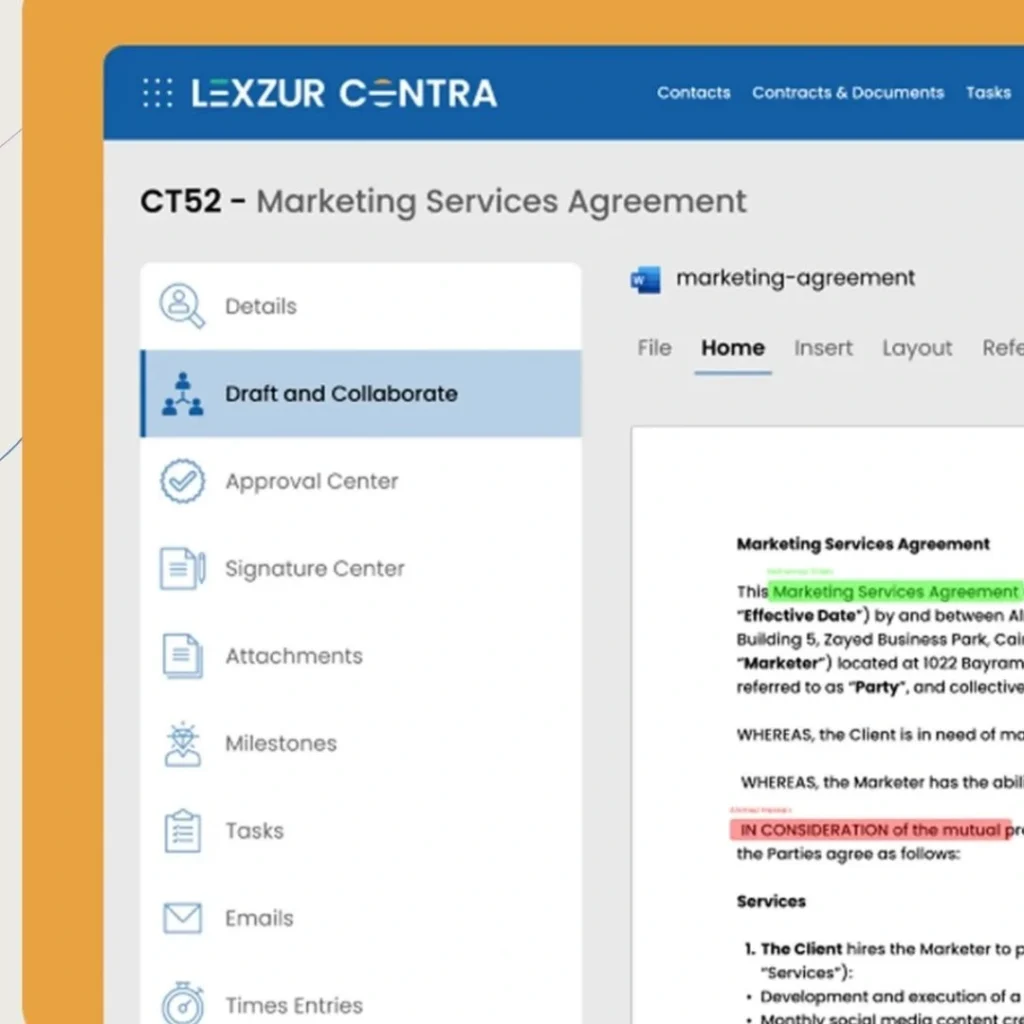
Workflow automation helps send contracts for review, create standardized templates, track contract status, and store contracts in one place. Solutions like Lexzur support the full contract lifecycle from drafting and negotiation to approval, signing, and ongoing contract tracking while giving better visibility into risks and obligations.
Legal Request Intake
Workflow software allows organizations to create legal intake portals where teams can submit requests that are automatically categorized and assigned. Automated workflows also help legal departments prioritize requests and send them to the right team member.
Litigation and Case Management
Workflow systems help legal teams track court deadlines, organize case documents, assign tasks, and keep detailed histories of all matters. legal teams work better and track all legal tasks by using a powerful case management systems
Compliance and Regulatory Tracking
Automation tools can track compliance deadlines, generate reports, document approvals, and maintain audit trails for regulatory inspections. Built-in compliance and reporting features help organizations maintain consistent processes and reduce operational risk.
What Are the Key Requirements for Legal Workflow Management Software?
Before implementing a legal workflow solution, organizations should always understand their operational requirements.
Flexible Workflow Automation
The platform allows teams to create and customize workflows using no-code or low-code tools.
Matter and Case Management
A strong platform should include one place to track case details, deadlines, documents, and communications.
Document and Knowledge Management
Features should include secure document storage, version control, full-text search, and document templates.
Integration with Existing Systems
Workflow platforms should integrate with CRM, HR systems, contract tools, and financial software.
Enterprise-Grade Security
Legal workflow systems must include role-based access control, encryption, audit logs, and compliance with security standards.
Frequently Asked Questions (FAQ)
What is legal workflow management software?
Legal workflow management software helps legal teams automate tasks, track cases, organize documents, and manage tasks within defined workflows.
How does legal workflow automation improve productivity?
Automation eliminates repetitive tasks like document creation, intake processing, reminders, and approvals.
Is workflow automation suitable for small law firms?
Yes. New platforms can work for all businesses sizes.
How long does it take to implement legal workflow software?
Implementation timelines vary, but many platforms can be configured and deployed within weeks.
Can legal workflow software integrate with existing tools?
Yes. Most platforms work with CRM systems, document storage systems, and financial tools.
If your legal team is using many disconnected tools, manual processes, or unpredictable workloads, it may be time to modernize your legal operations.
Learn how Lexzur’s legal workflow automation platform and legal workflow software solutions can help your organization simplify workflows, improve productivity, and manage legal tasks effectively.
👉 Ask for a demo today and let lexzur support you in leveling up your legal workflows


Leave a comment